Features AI Visibility How it works Pricing Reviews FAQ Contact Install on Shopify
Page speed + AI visibility for Shopify

Speed up your store and get found by AI shopping agents

A no-code theme app embed that delays non-critical scripts, lazy loads images and videos and preloads your main image. Plus an AI Visibility Score that shows how ChatGPT, Gemini and Perplexity read your store.
4.5 from 34 reviews on the Shopify App Store Helping Shopify stores since 2021
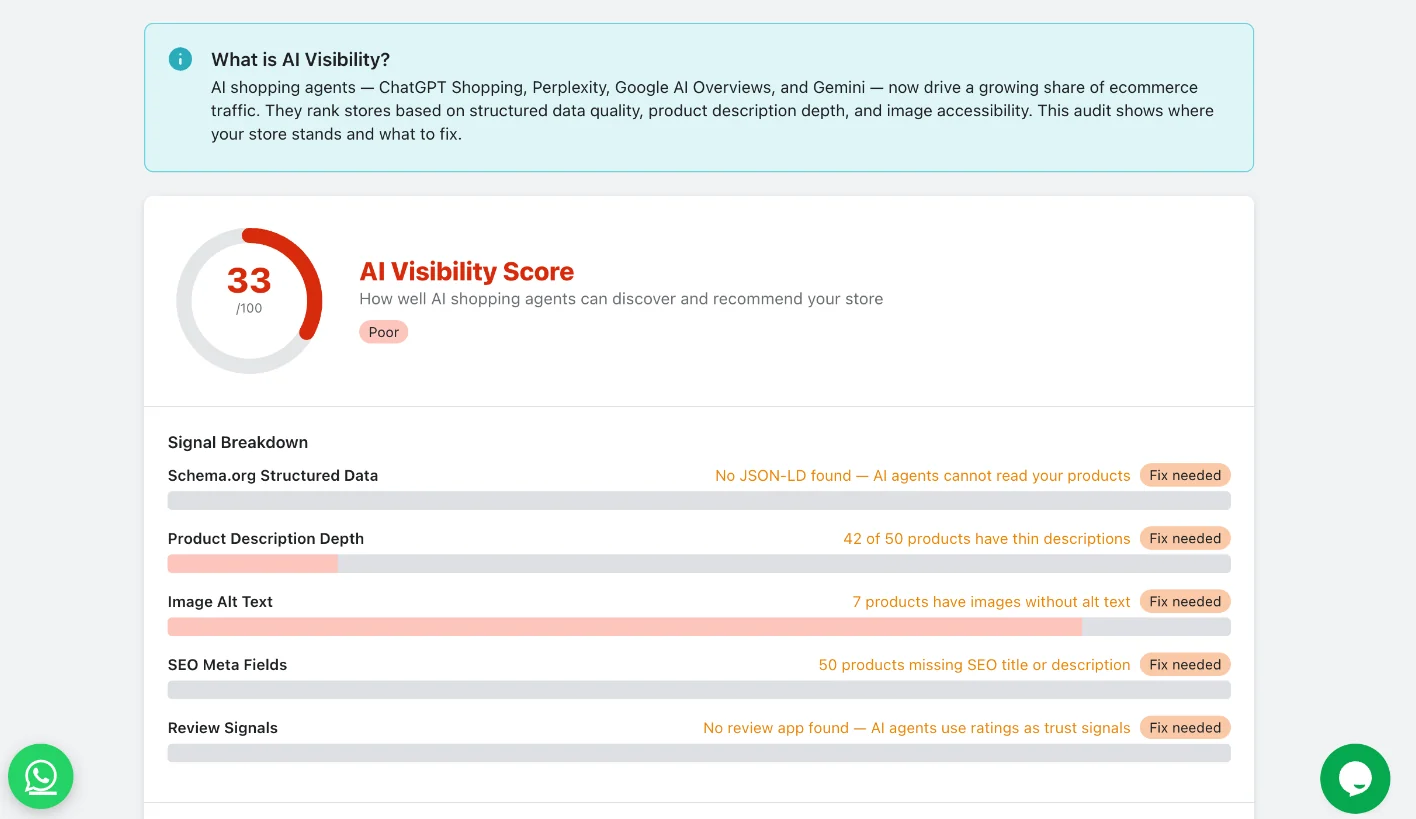
Swish AI Visibility Score with signal breakdown for structured data, descriptions, alt text, SEO fields and reviews

AI shopping agents Swish tracks

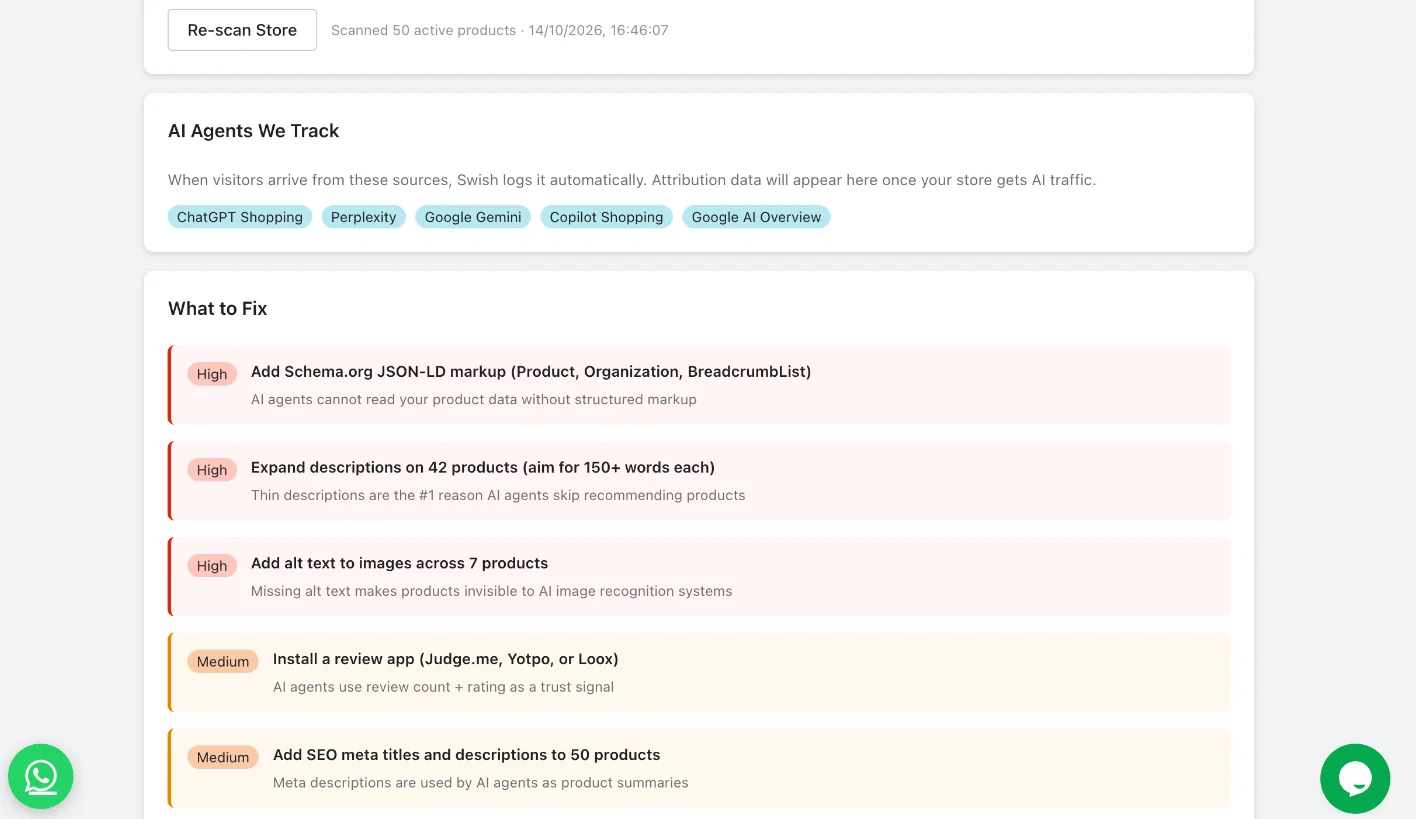
ChatGPT Shopping Perplexity Google Gemini Copilot Shopping Google AI Overview

01 — The problem

Slow pages and thin product data cost you sales.

Apps, pixels and chat widgets pile up on every storefront. At the same time, more shoppers start their search with an AI assistant that can only recommend what it can read.

Without Swish

  • Third-party scripts load before your content and block the page
  • Offscreen images and videos download on the first visit
  • No way to tell which app is slowing the store down
  • AI agents skip products with missing structured data and thin descriptions
  • Speed fixes mean editing theme code by hand

With Swish

  • Non-critical scripts wait until the shopper interacts
  • Images and videos load only when they scroll into view
  • App Impact Analysis shows every script and its impact
  • An AI Visibility Score with a prioritized fix list
  • One toggle in the theme editor, with Safe Mode rollback

02 — The optimizer

Six speed techniques in one theme app embed

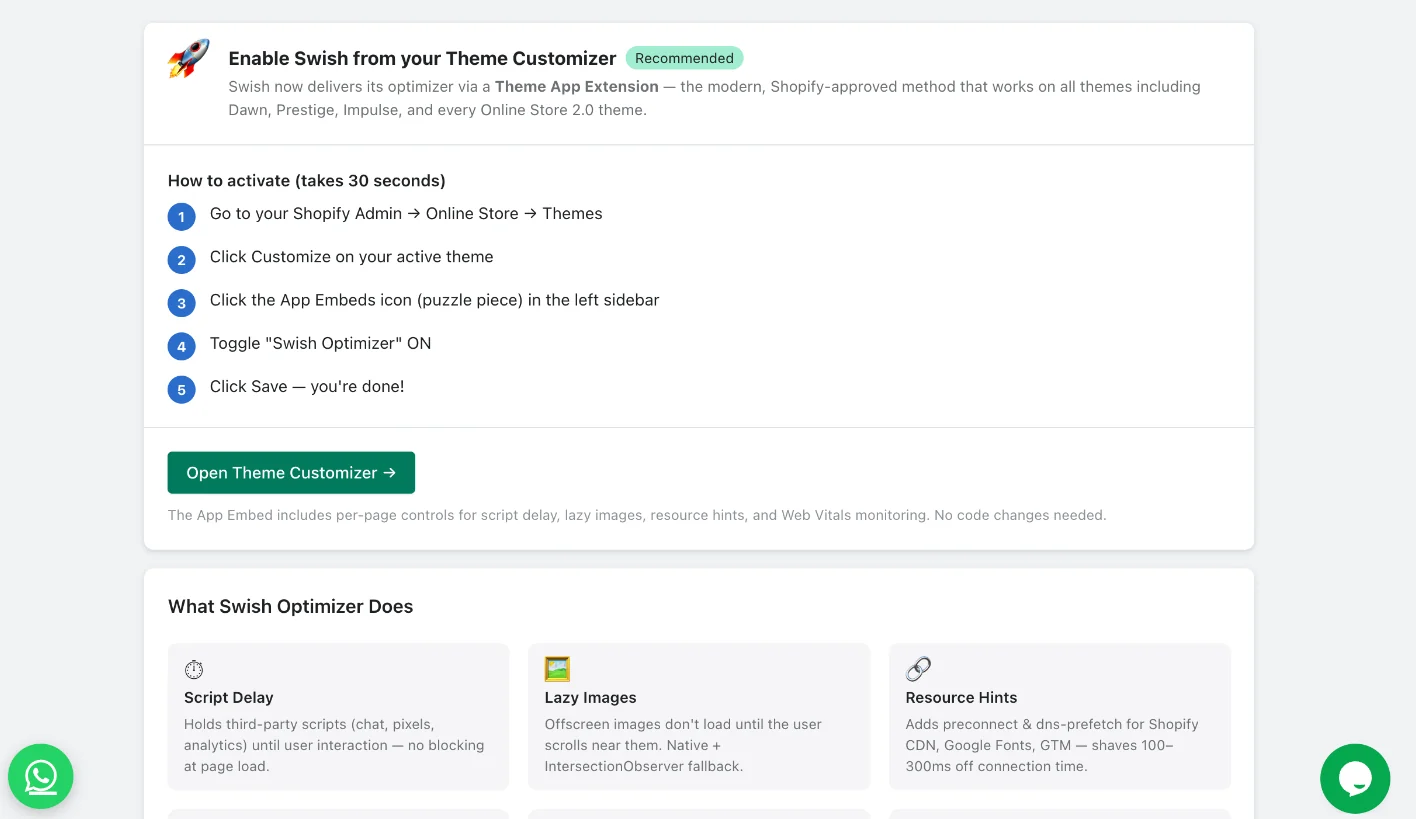
Swish runs from a Shopify theme app extension. It works on Dawn, Prestige, Impulse and every Online Store 2.0 theme, with no code changes.

01

Script Delay

Holds third-party scripts like chat, pixels and analytics until the shopper interacts, so they don't block the page from loading.

02

Lazy Images

Offscreen images don't load until the shopper scrolls near them, using native lazy loading with a fallback for older browsers.

03

Resource Hints

Adds preconnect and dns-prefetch for the Shopify CDN, Google Fonts and Google Tag Manager to cut connection time.

04

LCP Preload

Finds the main image on each page, the Largest Contentful Paint element, and preloads it to improve your LCP score.

05

Web Vitals Tracking

Collects real-shopper LCP, CLS and INP from your storefront and sends them to your Swish dashboard.

06

Video Defer

Offscreen videos load only when they scroll into view, which makes a big difference on video-heavy stores.

03 — AI visibility

See your store the way AI agents see it

ChatGPT Shopping, Perplexity, Google AI Overviews and Gemini rank stores on structured data, description depth and image accessibility. Swish scans your active products, scores your store out of 100 and tells you what to fix first.
Schema.org structured dataChecks for Product, Organization and BreadcrumbList markup
Product description depthFlags thin descriptions that AI agents skip
Image alt textFinds product images that AI image recognition can't read
SEO meta fieldsLists products missing an SEO title or description
Review signalsChecks for a review app, since ratings act as trust signals
Prioritized fix list Swish What to Fix list with high and medium priority actions to improve AI visibility

04 — How it works

Live in about 30 seconds

No theme code to edit and no developer needed. Turn it on from the theme editor and switch it off the same way.

STEP 01

Install from the App Store

Add Swish to your store and pick a plan. The Lite plan comes with a 7-day free trial.

STEP 02

Turn on the app embed

  1. Open Online Store, then Themes
  2. Click Customize on your live theme
  3. Open App embeds and turn on Swish Optimizer
  4. Click Save
STEP 03

Audit, fix and track

Check your AI Visibility Score, see which apps weigh on your store and run mobile and desktop audits from the Swish dashboard.

The app embed includes per-page controls for script delay, lazy images, resource hints and Web Vitals tracking.

05 — Inside the app

Everything in one dashboard

Swish runs inside your Shopify admin, so you can see what's on, what's slow and what to fix next.
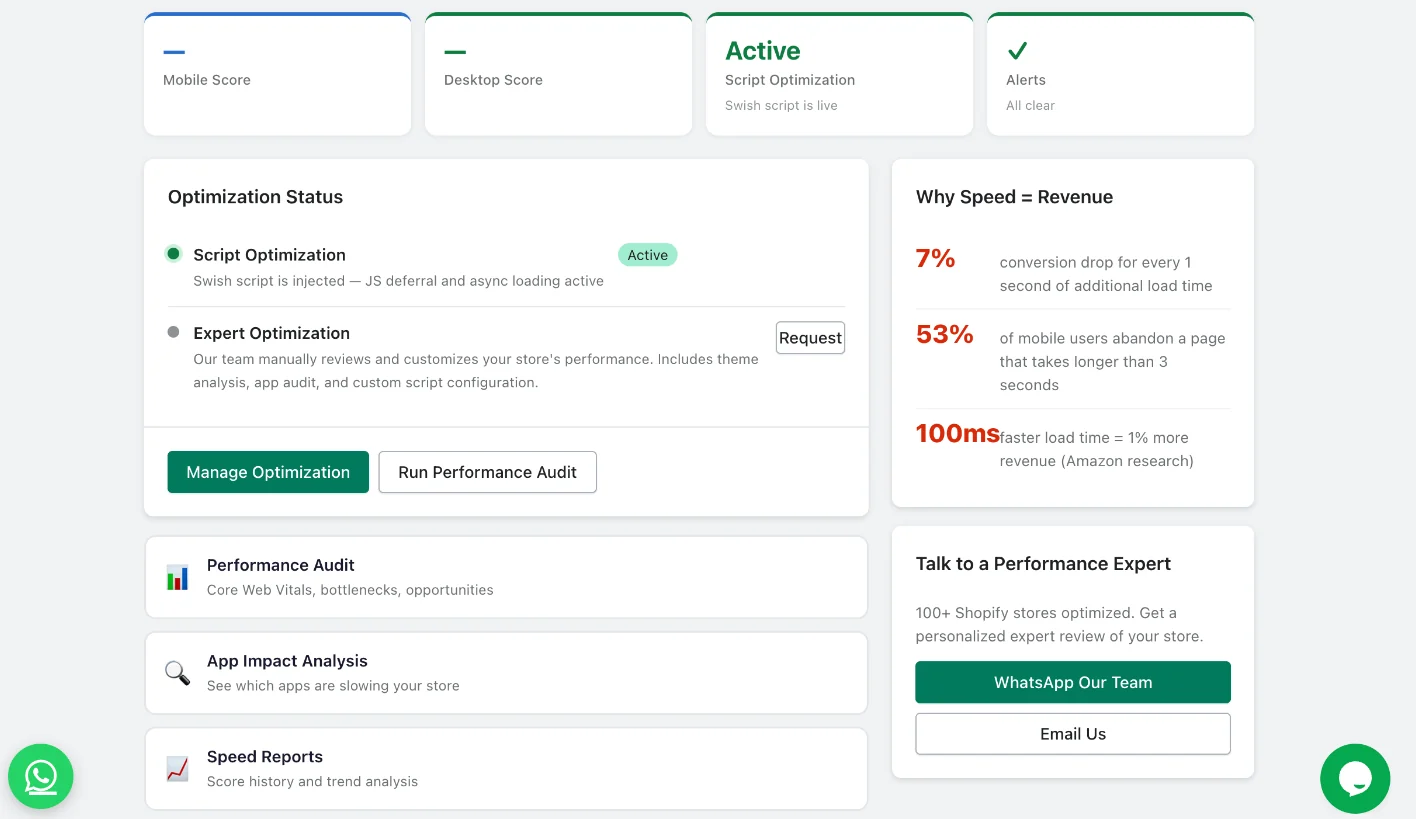
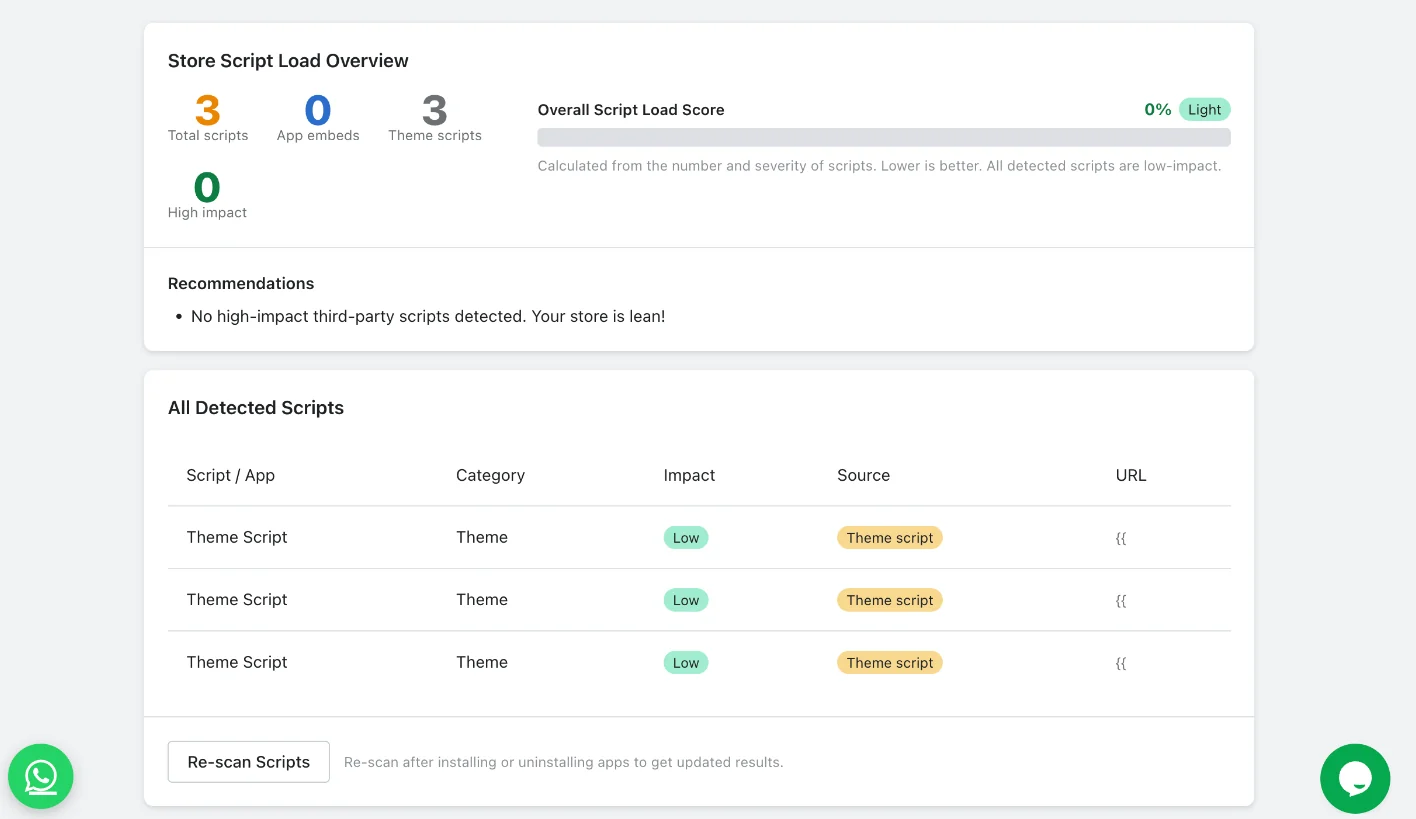
Swish dashboard with optimization status, performance tools and expert help

06 — Merchants

Loved for the results and the support

4.5
34 reviews on the Shopify App Store
“Swish has been amazing for improving our site speed — we saw instant results! But what truly impressed us was their support team — super quick, helpful, and went beyond expectations to ensure everything worked perfectly.”
ZOURAIndia
“We installed the Swish app and were immediately contacted by a representative to assist with the process. Within a day, our website performance improved significantly. Communications from Swish were clear and professional.”
Green KoalaUnited States
“Very quick customer service. Friendly to deal with. Helped my stores pagespeed and will definitely use them again in the future. Great work guys and thank you!”
Pure FiltrationAustralia

Read all reviews on the Shopify App Store

07 — Pricing

Simple plans. Billed through Shopify.

Choose the plan that best fits your business.

Lite Plan

$8.99/ month

7-day free trial

  • Improved page speed
  • Lesser bounce rate
  • Improved conversion rate
  • Better ROAS (return on ad spend)
  • Improved SEO
Start free trial
Most complete

Professional Plan

$19.99/ month

Includes expert optimization by our team

  • All features in Lite plan
  • Further page speed improvement
  • Facebook & Google Analytics optimisation
  • Dedicated developer support
Get Professional

All charges are billed in USD through your Shopify invoice. Recurring charges are billed every 30 days.

Expert optimization

Want a person to tune it for you?

Our team reviews your store, finds what's slowing it down and applies a custom configuration built for your theme and apps. It's usually done within 24–48 hours and is available on the Professional plan.

Performance auditCore Web Vitals, app impact, theme analysis and JS weight
Custom configurationSet up for your specific theme and installed apps
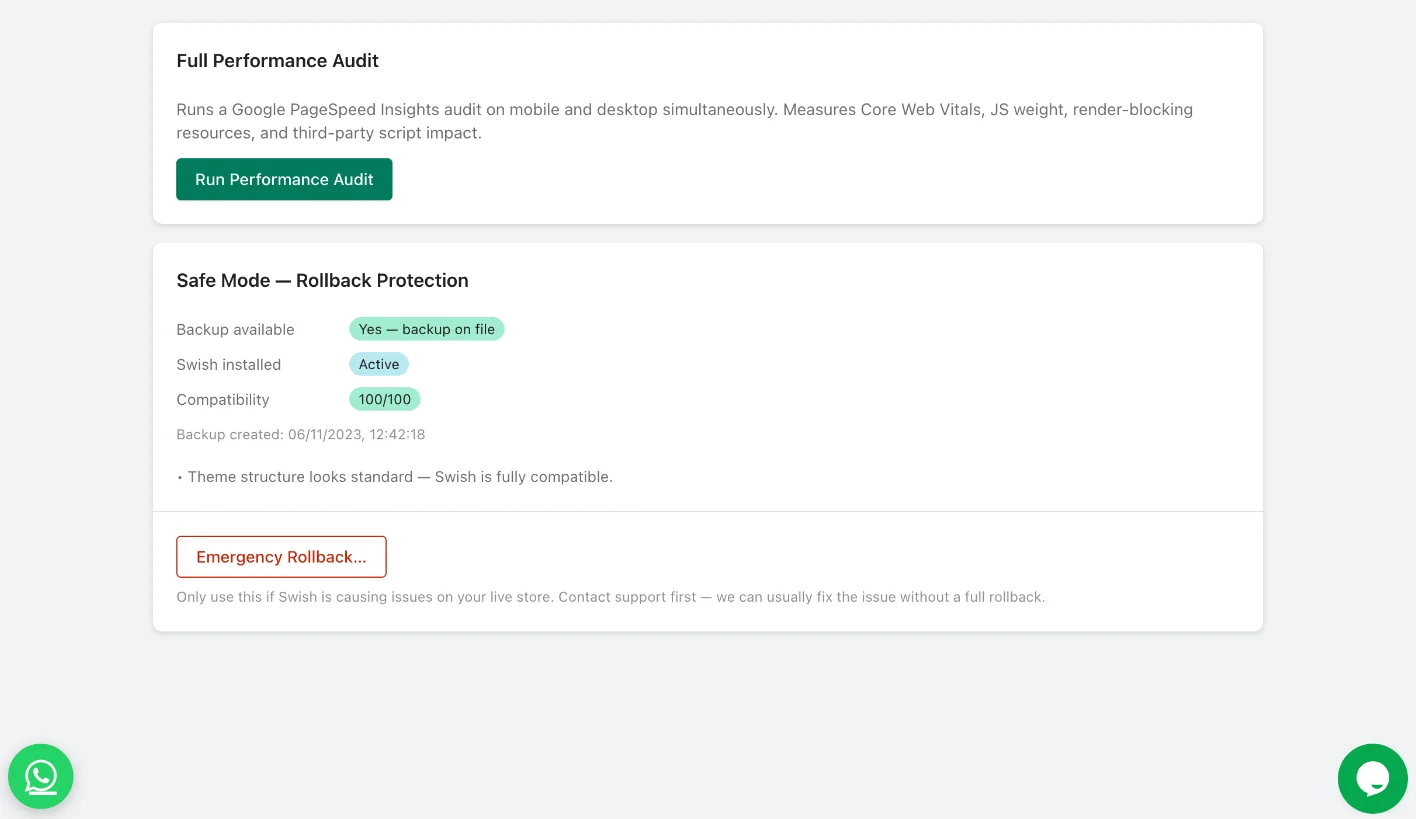
Safe implementationFull backup first, with one-click rollback
Results reportingBefore and after speed scores and a summary of every change

08 — FAQ

Questions, answered

How do I turn Swish on?
Swish runs as a theme app embed, so there's no code to paste:
  1. In Shopify admin, go to Online Store, then Themes.
  2. Click Customize on your live theme.
  3. Open App embeds (the puzzle piece icon in the left sidebar).
  4. Turn on Swish Optimizer and click Save.
Do I need to edit my theme code?
No. The theme app embed is Shopify's approved way for apps to add features to your storefront. You turn it on and off from the theme editor, and your theme files stay as they are.
Which themes does Swish work with?
Swish works on Online Store 2.0 themes, including Dawn, Prestige and Impulse. If you use an older theme, our team can help you get set up.
What is the AI Visibility Score?
It's a score out of 100 for how well AI shopping agents such as ChatGPT Shopping, Perplexity, Google Gemini, Copilot Shopping and Google AI Overview can discover and recommend your store. Swish checks structured data, product description depth, image alt text, SEO meta fields and review signals, then gives you a prioritized fix list.
Can I undo the changes?
Yes. You can turn off the app embed at any time from the theme editor. Safe Mode also keeps a theme backup with one-click rollback. Contact support first, since we can usually fix an issue without a full rollback.
How do I measure the speed improvement?
Run Google Lighthouse in Chrome DevTools, or the Performance Audit in Swish, before and after you turn on the app embed. Audits need a store that isn't password protected. If your store is already well optimized, the improvement may be small.
Is there a free trial?
Yes. The Lite plan includes a 7-day free trial. All billing goes through your Shopify invoice in USD.

Get started

Make your store fast and easy for AI agents to read

Install Swish, turn on the app embed and see your AI Visibility Score in minutes.